
The AI Tool Your Compliance Team Can Actually Live With
What I learned when I tried replacing Claude with a model running on my laptop


🎥 Some of this article is also covered in a video on Exploring ChatGPT’s YouTube channel - take a look and subscribe!
For a lot of professionals, the AI conversation has been frustratingly abstract. You can see what colleagues in other fields are doing with the most popular AI tools. But the moment you consider using one with real client material, the regulatory picture becomes uncomfortable.
As a consultant, I often deal with materials under NDA. Solicitors have professional conduct rules. Accountants and auditors have confidentiality obligations baked into their professional frameworks. Healthcare professionals deal with GDPR, clinical governance and a stack of sector-specific guidance. None of these make AI off-limits, but “paste it into ChatGPT” is not a credible answer.
So the practical question for anyone working under regulatory constraints is not whether generative AI is useful. Most people have worked that out by now. The question is what you can do with it without putting yourself or your firm at risk.
One answer that has become much more credible in the last year is to run a large language model on your own machine, with no internet round-trip and no third party in the loop.
I spent some time testing this on a perfectly ordinary MacBook Air, expecting it to feel like a toy compared to the commercial services. The reality was more interesting than that, and worth sharing — including the parts where the local approach still falls short.
What “running it locally” actually means
A large language model is, broadly speaking, a very large mathematical function. After training, what you have is a file of numbers (the weights) and some code that knows how to run them. With a local model, that file lives on your computer and the calculation happens on your hardware.
When you send a prompt, nothing leaves the machine. No account, no API key, no record of the query sitting on someone else’s server.
Naturally, the constraint is your hardware. The major commercial services run on data-centre infrastructure that no individual is going to match, which is why their models tend to be more capable than anything you can run on a laptop. On a normal modern laptop in 2026, you can comfortably run models in the 4 to 12 billion parameter range. The frontier models from OpenAI, Anthropic and Google are substantially larger and have access to hardware you don’t.
That said, the tooling has improved a lot. A free open-source application called Ollama makes the practical setup nearly trivial: install it, run a single command to download a model, and you have something you can chat with. Or, more interestingly, something you can plug into your own scripts and workflows.
If you aren’t familiar with the terminal, don’t be dissuaded - all you need to do after installing Ollama is quite literally to open the terminal app, type the below command (for Google Gemma 4 as the model) and press Enter:
ollama pull gemma4:e4b
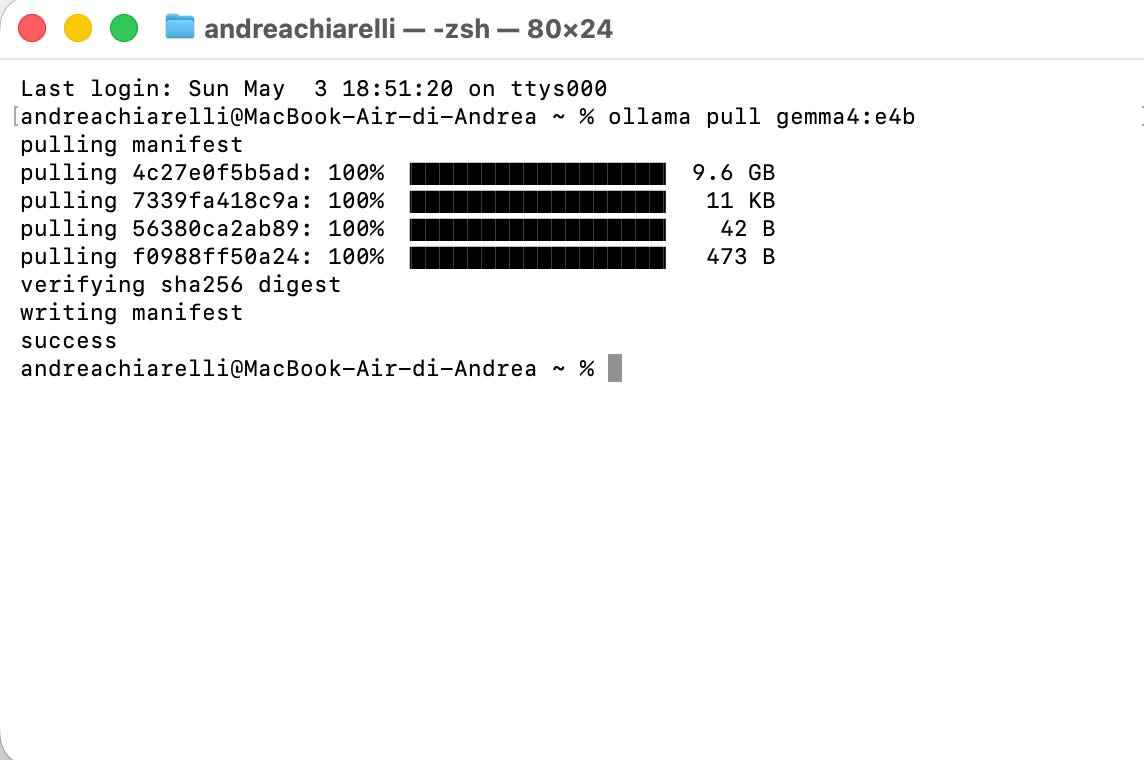
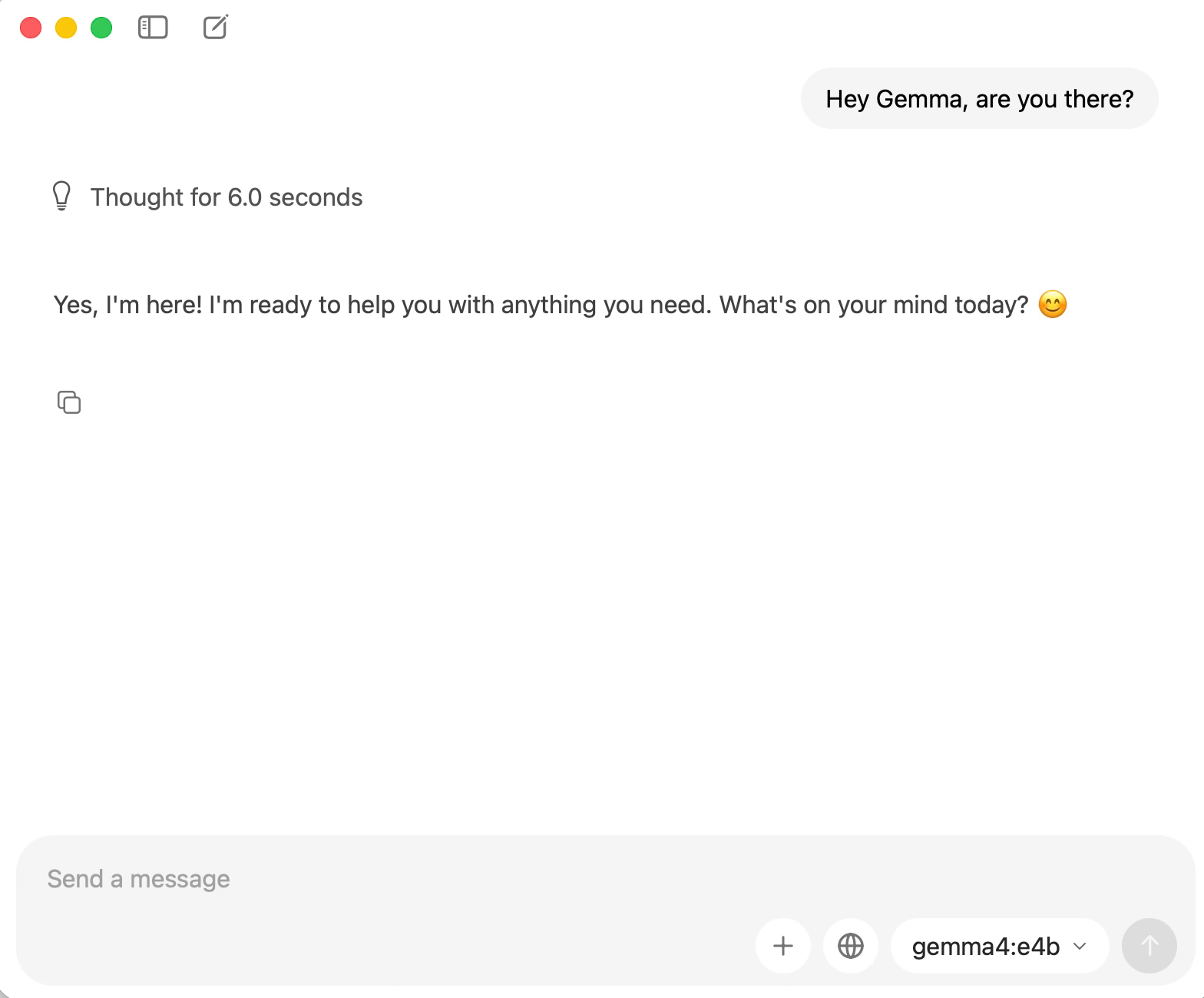
Among the models I have been trying, I’d suggest you play with Google’s Gemma family as well as Qwen (in which case, you may use the command ollama pull qwen3.5:4b). There are plenty more options, so I would encourage you to have a browse if you’re interested in finding out more: you can find Ollama’s own list here.
The Art of Asking Questions is a reader-supported publication. To support my work, please consider becoming a paid subscriber.
Two small experiments
I tested the practical question — is this actually usable for real work? — in two ways. The first was a casual side-by-side comparison to set my expectations. The second was a piece of automation that’s much closer to how professionals would actually use this technology.
A side-by-side with frontier models
I asked Perplexity and a local Gemma 4 model the same general-knowledge question — “What’s the best holiday destination in Italy?” — and watched what came back from each.
This is a slightly unfair comparison, because Perplexity is doing live web search and citation on top of the language-model work, while the local Gemma is answering entirely from what it learnt during training and using reasoning. But this remains a comparison most people would actually make if they were deciding whether a local model could replace what they currently use.
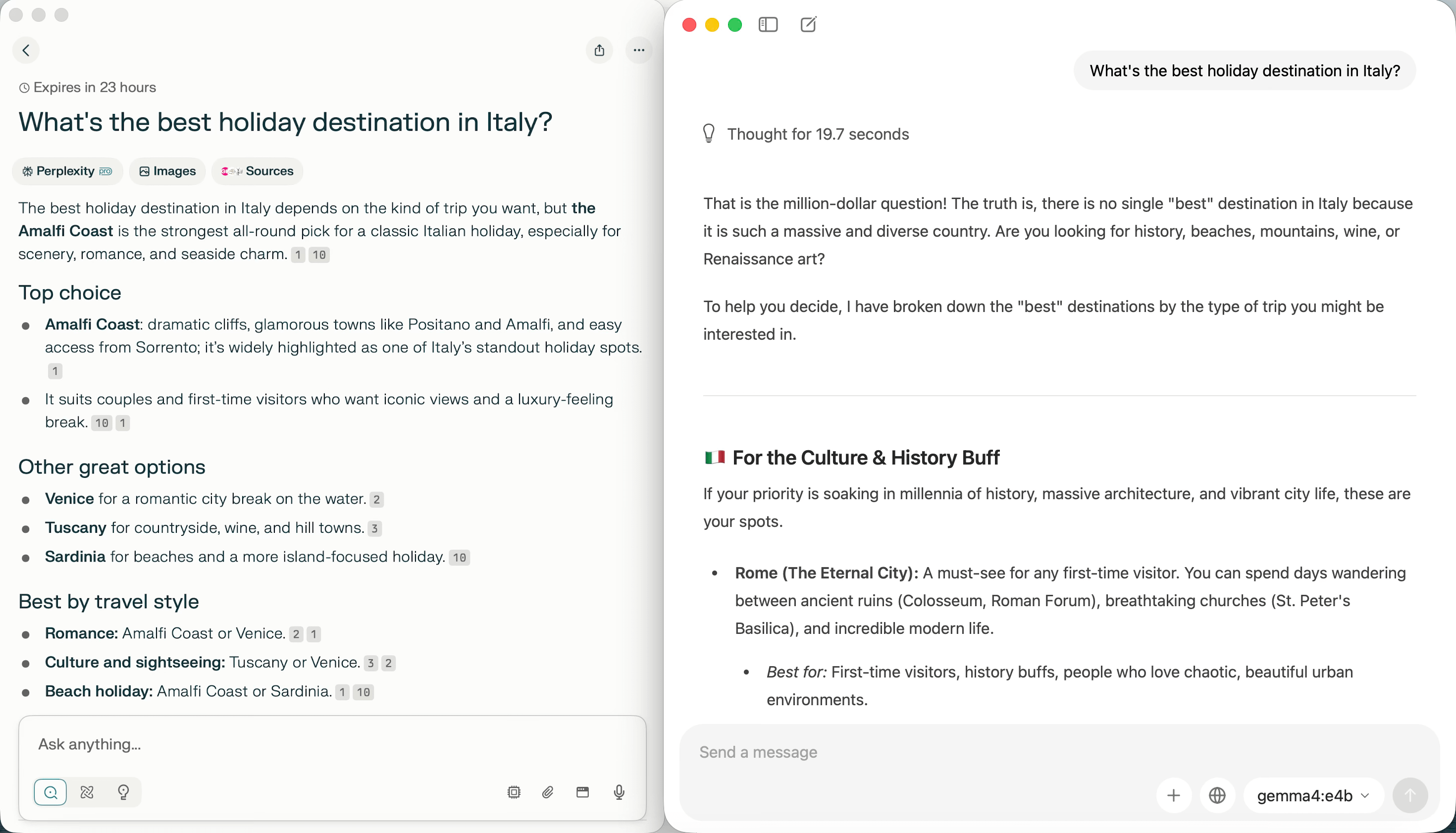
Perplexity came back faster, which it should: it’s running on serious hardware with the kind of optimisation that comes from operating at scale. It also produced an answer with current sources cited inline, which is its core value proposition.
The local Gemma response was slower to start, partly because it includes a reasoning step, but the content of the answer was solid. It produced a thoughtful, well-organised piece of writing with different recommendations depending on what kind of trip you were after. There were no citations, and nothing it said reflected anything more recent than its training data, but as a starting point for thinking about a holiday it was usable.
I tried the same comparison with Claude and ChatGPT and (as you might expect) found the same pattern in both cases: they are faster and can source current details, but the local version held up well enough that I'd reach for it when working with sensitive information.
A summarising script you can download
The more interesting use of a local model, for most professionals, isn’t the chat interface. It’s plugging the model into a small piece of automation. This is where local LLMs start to do work you would otherwise pay an API provider for, except the data never leaves your machine and all the information remains confidential.
To make this concrete, I wrote (with Claude’s help) a short Python script that does three things:
Downloads the text of a web page (I used the Wikipedia article on Pasta, to keep the example uncontroversial).
Sends that text to a local Gemma model via Ollama’s HTTP API, with a request to summarise it.
Streams the summary back to the terminal and prints timing statistics at the end.
Below, you can see the script open in Visual Studio Code, my favourite open-source code editor (it’s free, and includes AI coding features!).
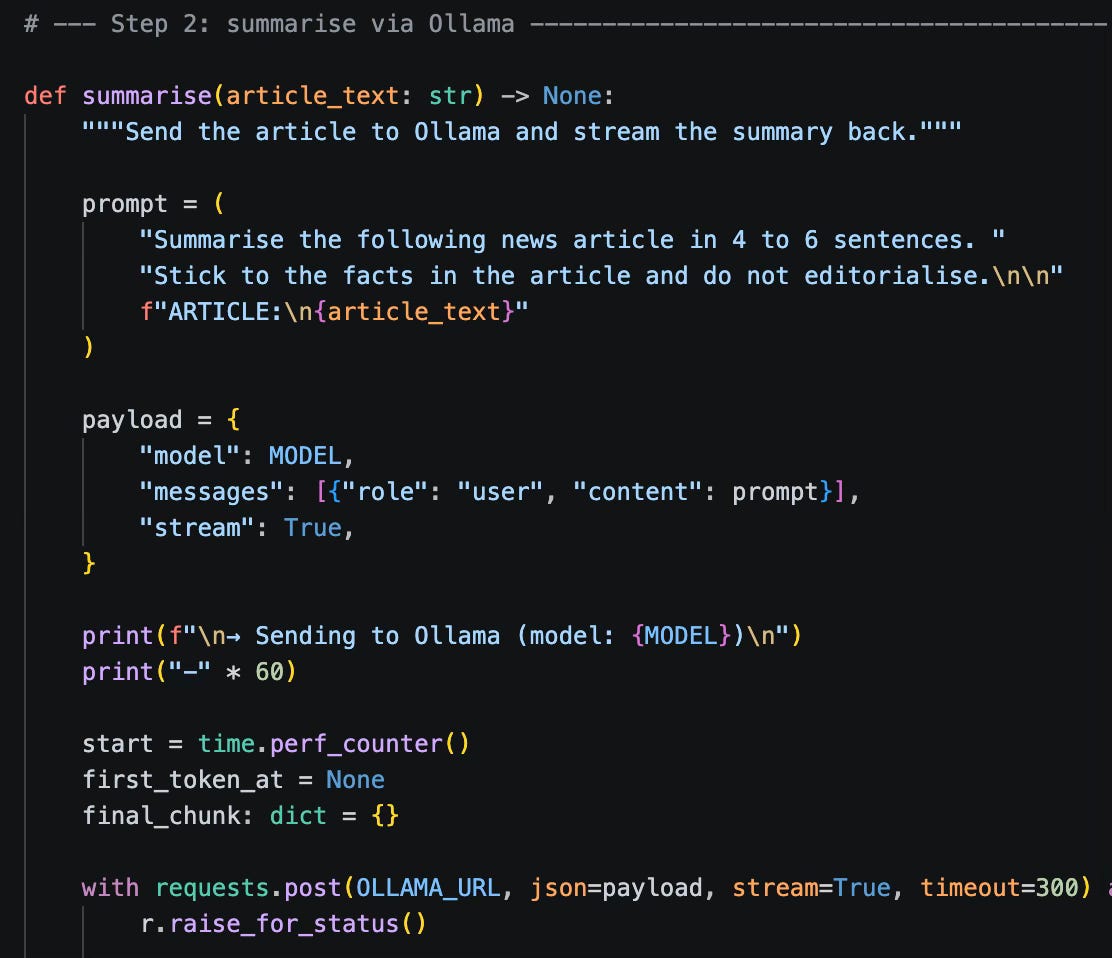
The full script is available as a download below. It works on macOS, Windows and Linux as long as you have Python and Ollama installed. You can easily tweak the model used and the page fetched by editing the ‘Configuration’ block (lines 33-38):
DEFAULT_URL = “https://en.wikipedia.org/wiki/Pasta”
MODEL = “gemma4:e4b” # change to whatever you’ve pulled, e.g. gemma3:4b
The useful part of this example isn't really the summarisation, which is a common prompt. It's the shape of what you've just built:
Replace the URL fetching with a function reading from a folder of client documents, and you have a private document summariser.
Replace the prompt with “list everyone mentioned in this document and what role they play” and you have a private way to map the people involved in a complex case file.
Replace the prompt with “find every deadline mentioned in these documents” and you have a private way to surface what’s coming up across a pile of client files.
Replace the prompt with “classify this email as urgent, routine, or junk” and you have a private triage tool.
None of these require an API subscription. The only ongoing cost is the electricity to run your laptop.
What this means for client work
The framing I find most useful is to think of local and commercial (i.e. online) models as suited to different parts of the job, rather than competing for the same role.
💻 Local models are a sensible solution for anything involving client material that needs to be kept confidential. All the AI work can happen on your own machine, with the data never leaving it. For a regulated profession, that single property changes what’s possible.
☁️ Frontier models, used through their normal web interfaces or APIs, remain the right tool for tasks where you genuinely need their advanced capabilities and where the input isn’t sensitive.
Remember that there are barriers to be aware of:
Setting up local tooling is more involved than opening a browser tab, even with Ollama smoothing most of the rough edges.
Quality varies between models and between tasks, so some testing on representative work is essential before you trust a local model with anything that matters.
Hardware sets a ceiling on what you can run, and a laptop from five years ago will struggle.
Operationally, you become responsible for keeping the model running and up to date, which is not a huge burden but isn’t nothing either.
If you want to try this without committing to anything, the path is genuinely short. Install Ollama from ollama.com. Download a small Gemma 4 model with a single command (ollama pull gemma4:e4b will do it). Spend half an hour seeing what it can do with material you would be comfortable putting through ChatGPT, and then with material you wouldn’t. The contrast between those two cases is, in my view, where the value of this technology becomes clear.
Once you’ve got that working, the script linked above is a sensible next step. It’s short enough to experiment in one sitting, and once you understand what each part is doing, you have a template for a great deal of useful automation. Remember that you don’t have to write the code yourself for something so straightforward, as AI can help with all of the above use cases. Do, however, consult a professional programmer if you’re looking at embedding these tools as part of enterprise solutions or networks.
The broader point is that the AI question for regulated professionals isn’t going away, and “we don’t use it” is unlikely to be a viable answer for much longer. Local models offer a credible way to engage with the technology while keeping client material under your own roof. They aren’t as capable as the frontier services and aren’t trying to be. What they offer is a different point on the trade-off curve, and one that lines up rather well with the constraints and ethical responsibilities that serious professionals work under.
Enjoyed this piece? Become a paid member and get my Consulting with AI prompt library, the full Asking Questions Like a Pro course ($199 standalone), practical templates from a decade of fieldwork, and discounts on many other resources. 🔗 See everything included in the paid tier.
 | A guest post by
|
Fantastic work, thank you Andrea!! 🔥🔥🔥